[reply=“Kenneth Kiilu;6468”] Can you post a screenshot and verify the agent version? I notified the team last week - still waiting on a reply.
[reply=“David Gugick;6514”]
Included, while the application itself seems to show the message as informational, the emails we receive when the backup completes still shows as “Error”
[reply=“Paden;6516”] thanks. Sent this over to the team.
[reply=“Paden;6516”] Support has requested you send them the diagnostic logs (Tools - Diagnostic) and a screenshot (once the case is opened) showing the FULL report (with Computer name and everything)
[reply=“David Gugick;6518”] Will do, thank you!
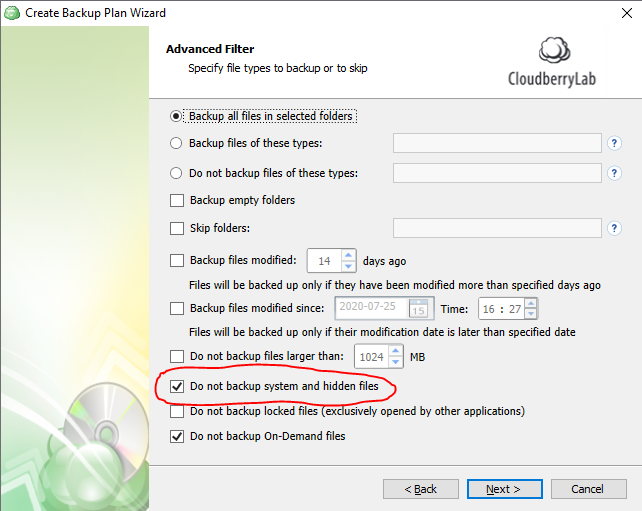
I see this as well in 6.3.2.205 and the only way to get rid of it is seems to be to un-check “Do not backup system and hidden files.” in the Advanced Filter in the Create Backup Plan Wizard. This was not the case some versions ago. This setting is enabled by default.