I’m seeing an error on MSP360 for MAC (4.4.4.425) - SSL Certificate Error (code: 1007). I’ve found this kb00300 article on your site but it doesn’t relate to the Mac version.
Any ideas on how to fix this?
I’m seeing an error on MSP360 for MAC (4.4.4.425) - SSL Certificate Error (code: 1007). I’ve found this kb00300 article on your site but it doesn’t relate to the Mac version.
Any ideas on how to fix this?
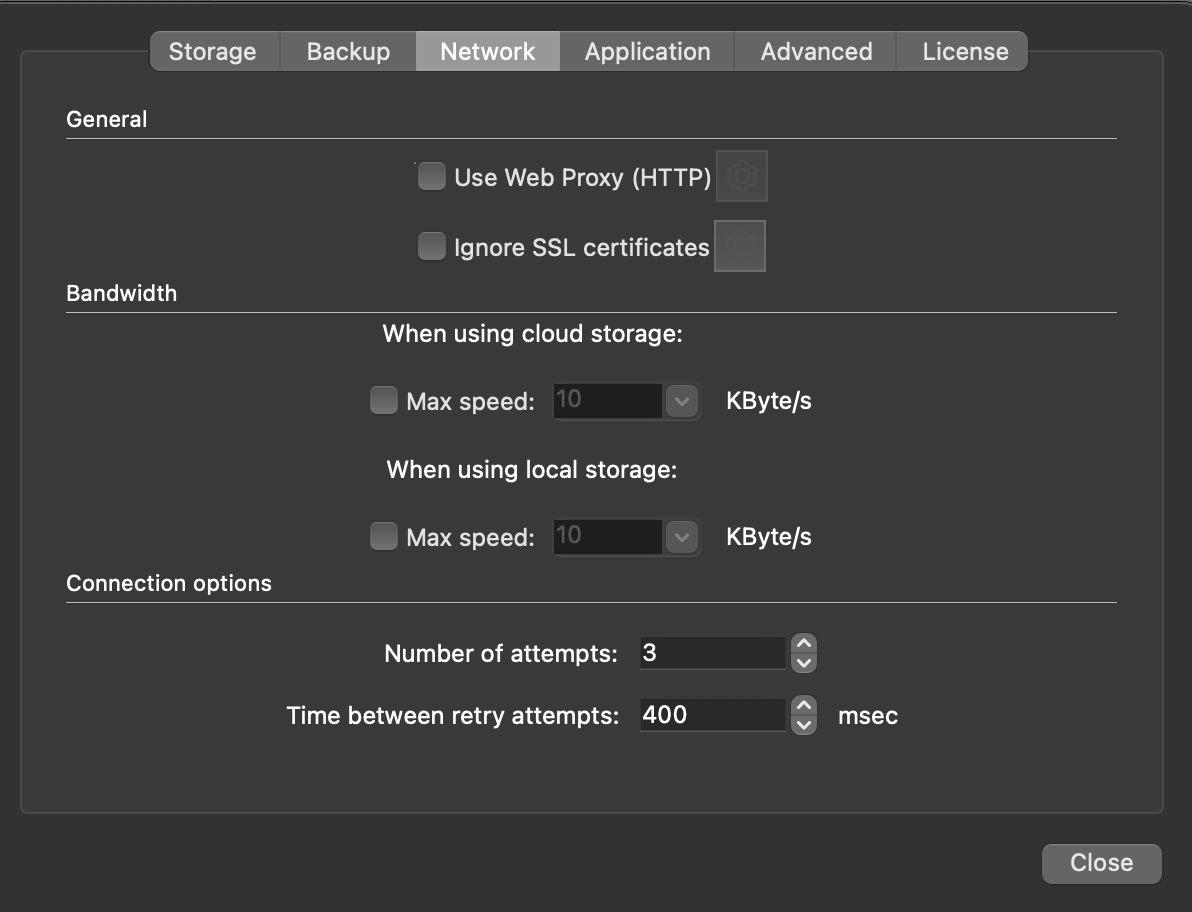
The fix is to open MSP360 on macOS, go to Network settings, and enable Ignore SSL certificates. That resolves SSL Certificate Error code 1007.
Enable “Ignore SSL certificates” in network settings on Mac.
This fixes SSL error 1007.